Methodology Part II - Visualization
My exploration with analyzing and visualizing results from the relational database is still at an incipient stage. While I'm hoping to use the Query Builder function in FileMaker Pro for more complex analyses in the future, I have used two provisional resources for exploratory data analysis.
WTFcsv
First, I used WTFcsv, a basic data analysis and visualization tool that is very simple to use. For this step, I exported a csv file of the "Tag_Relation" table from FileMaker Pro and uploaded it into the WTFcsv website. This was all that was necessary to retrieve some basic statistics and a provisional graph. For instance, this online tool returned the following descriptive statistics:
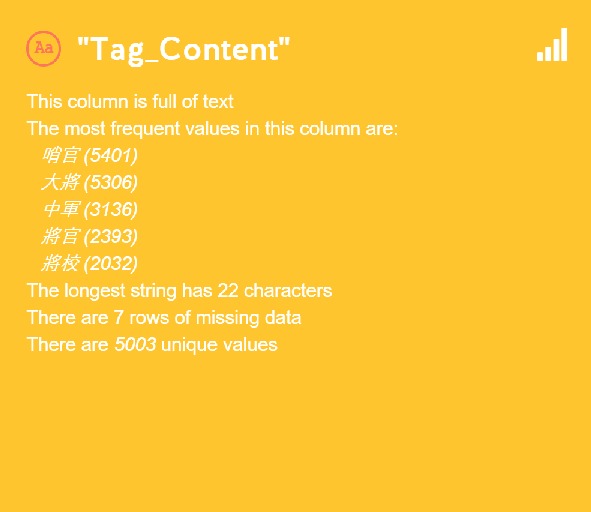
This result was not only instructive in providing the most frequently occuring tag elements, but also in pinpointing potential gaps and errors in the current database. For instance, I realized through this analysis that there are 7 rows of missing data, and that there is a slight discrepancy in the number of total unique values as it appears in this analysis and in my "Tag" table, which was the result of an Excel "Remove Duplicates" function.
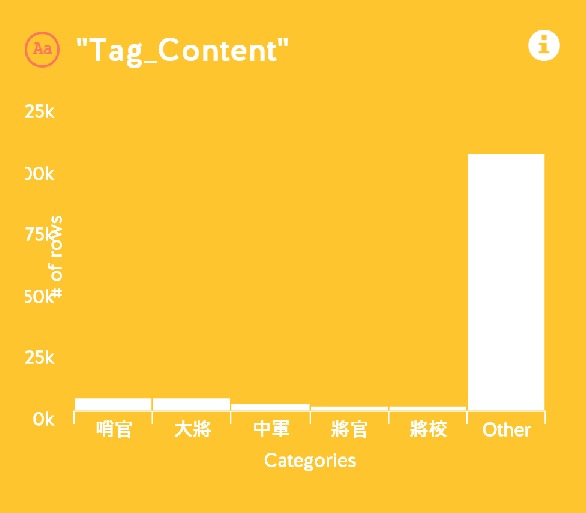
Compared to the descriptive statistics, the data visualization created by WTFcsv was less useful. As seen below, the "Other" column is predominantly large, obscuring the more meaning comparisons between the most frequently occuring tag elements. Further, the lack of user interface in this tool to manipulate and change the visualization was problematic and limiting.
Tableau
I further experimented with a more complex software Tableau, and was able to create a more effective visualization. After studying the technicalities of the software from online tutorials, I was able to import files created through FileMaker Pro into Tableau, re-establish the connections between these files within the software, and experiment with different visualization styles.
Two styles that worked particularly well for my dataset were 1) treemaps and 2) packed bubbles.
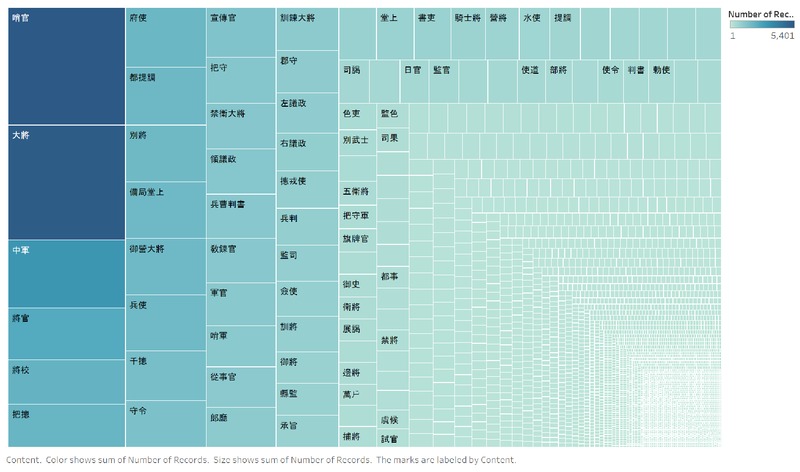
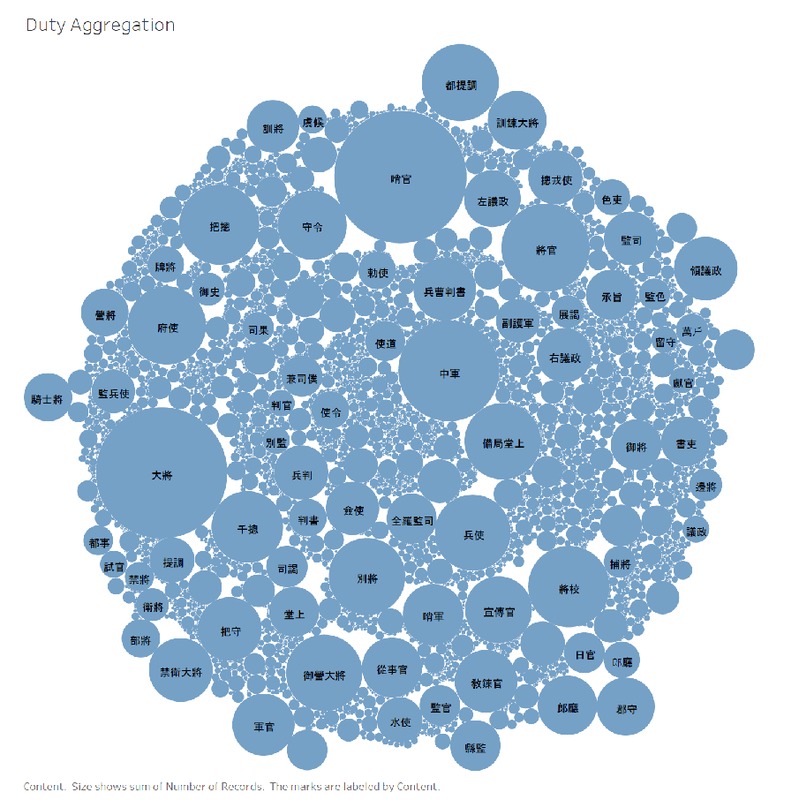
While Tableau was very useful for creating these visualizations, I had difficulty sharing and embedding them on this website. Tableau already has special functions in the software that are meant to facilitate this process; however, in my attempts I encountered a bug that seems to be unresolved. I will use the current image screenshots provisionally, and later address this bug to create more dynamic visualizations online.